In today’s data-driven world, organizations are drowning in information. Managing this data effectively requires a clear understanding of its meaning, purpose, and relationships. That’s where a Business Data Dictionary (BDD) comes in. Think of it as the central repository of knowledge about your business data, ensuring consistency, accuracy, and accessibility across the enterprise. Using a BDD template can significantly streamline the creation and maintenance of this critical documentation.
A Business Data Dictionary template provides a structured framework for capturing essential information about each data element within your organization. It goes beyond simply defining column names in a database; it details the business context, usage, and potential impact of each data point. This structured approach helps to avoid ambiguity, promotes data quality, and facilitates better decision-making. Without a proper BDD, teams may struggle to understand data sources, leading to errors, inconsistencies, and ultimately, flawed business insights.
So, what exactly should a comprehensive Business Data Dictionary template include? While the specific details will vary depending on your organization’s needs and complexity, there are some essential elements that should be present. Let’s dive into the key components that form the backbone of a robust BDD template:
-
Data Element Identification
-
Data Element Name:
The official, standardized name of the data element. This should be clear, concise, and easily understood by all stakeholders. For example: “Customer ID”, “Order Date”, “Product Name”.
-
Alias/Synonyms:
Any alternative names or abbreviations used for the data element across different systems or departments. Listing aliases ensures that users can easily find the data element regardless of the terminology they use. For example: “CustID” for “Customer ID”.
-
Data Element ID:
A unique identifier for the data element within the BDD. This ensures traceability and avoids confusion when dealing with multiple data elements with similar names.
-
Data Domain/Business Area:
The specific business area or domain to which the data element belongs. This helps to organize the BDD and facilitates targeted searches. For example: “Customer Management”, “Order Processing”, “Product Information”.
-
-
Data Definition and Characteristics
-
Description:
A detailed and unambiguous explanation of the data element’s meaning and purpose within the business context. This is crucial for ensuring everyone understands what the data represents. For example: “A unique identifier assigned to each customer in the system.”
-
Data Type:
The data type of the element (e.g., text, number, date, boolean). This defines the kind of values that can be stored in the data element.
-
Data Length/Size:
The maximum length or size of the data element. This is important for data validation and storage considerations.
-
Format:
The specific format in which the data is stored (e.g., YYYY-MM-DD for dates, ###-##-#### for phone numbers). Consistent formatting ensures data integrity.
-
Unit of Measure:
The unit of measure used for the data element (e.g., USD for currency, kilograms for weight). This is particularly important for numerical data.
-
Data Source(s):
The system(s) or application(s) from which the data element originates. This helps to trace the data back to its source and understand its provenance.
-
-
Data Rules and Constraints
-
Validation Rules:
Rules that define the acceptable values for the data element (e.g., range of values, allowed characters, mandatory fields). These rules ensure data quality and consistency.
-
Business Rules:
Business rules that govern how the data element is used and interpreted. These rules provide context and ensure that the data is used appropriately. For example: “Customer ID must be unique across all systems.”
-
Default Value:
The default value that is assigned to the data element if no value is provided. This can help to ensure data completeness.
-
Nullability:
Indicates whether the data element can be empty (null) or if it is required to have a value.
-
-
Data Governance and Stewardship
-
Data Owner:
The individual or team responsible for the accuracy and integrity of the data element.
-
Data Steward:
The individual or team responsible for defining and enforcing the data rules and standards for the data element.
-
Access Restrictions:
Defines who has access to the data element and what level of access they have (e.g., read-only, read-write).
-
Retention Policy:
The policy that governs how long the data element is retained and when it is archived or deleted.
-
Change History:
A record of all changes made to the data element definition, including the date of the change, the user who made the change, and a description of the change.
-
-
Relationships to Other Data Elements
-
Related Data Elements:
Lists other data elements that are related to this data element, either directly or indirectly. This helps to understand the data’s context and dependencies.
-
Relationships:
Describes the nature of the relationship between this data element and other data elements (e.g., parent-child, one-to-many). This clarifies how the data elements are connected.
-
By implementing a comprehensive Business Data Dictionary template and maintaining it diligently, organizations can unlock the full potential of their data, improve data quality, and make more informed business decisions. Remember to tailor your template to your specific needs and ensure that it is accessible and easy to use for all stakeholders. Regularly review and update the BDD to reflect changes in your business and data landscape.
If you are searching about Business Data Dictionary Template in 2021 | Business continuity you’ve came to the right page. We have 22 Pictures about Business Data Dictionary Template in 2021 | Business continuity like Business Data Dictionary Template – PARAHYENA, Design Document Templates Ms Word Excel Data Dictionary Templates Forms and also Business Data Dictionary Template – PARAHYENA. Here you go:
Business Data Dictionary Template In 2021 | Business Continuity

www.pinterest.com
Business Data Dictionary Template – PARAHYENA
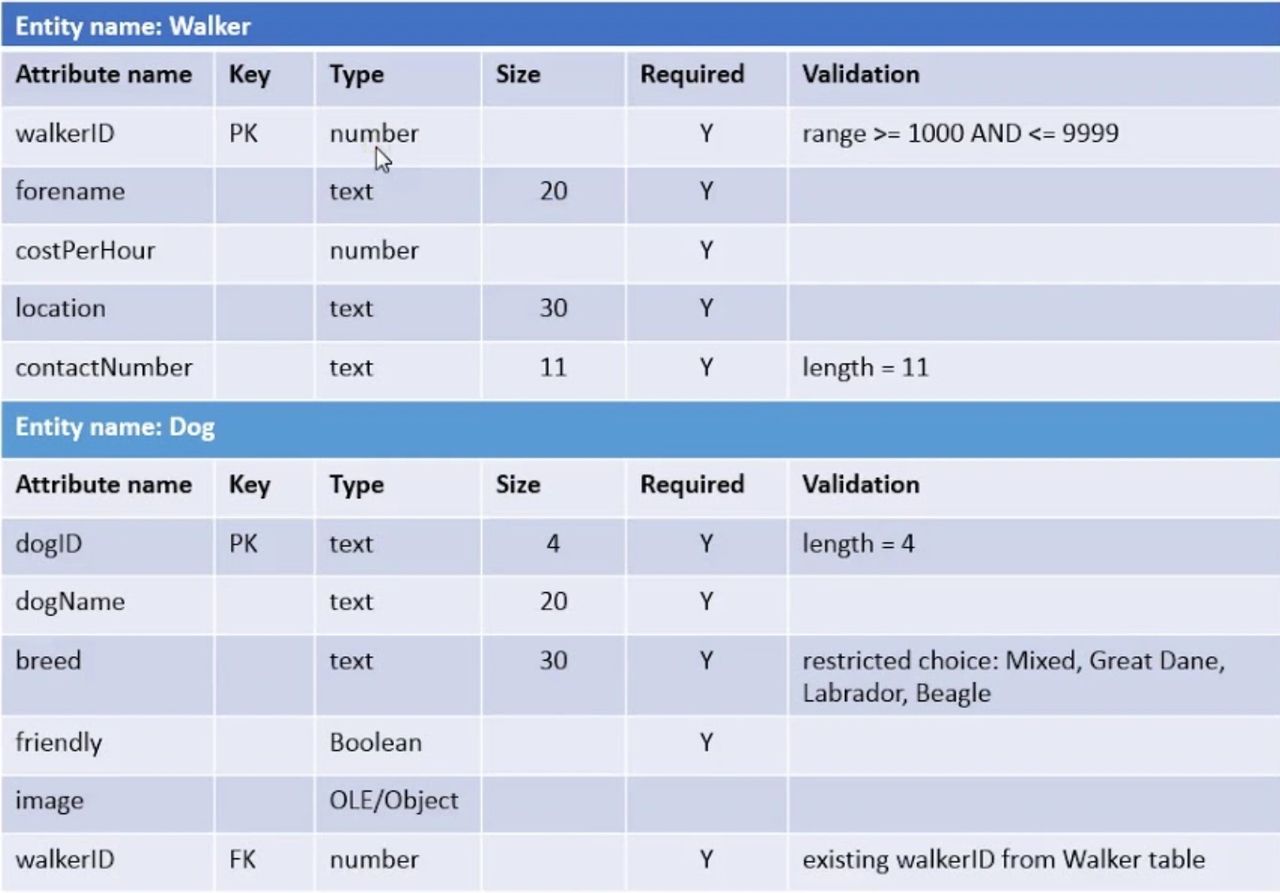
www.parahyena.com
How To Use Sendgrid's Dynamic Templates For Your Transactional Intended
vancecountyfair.com
Data Dictionary Sample Template | Template Samples
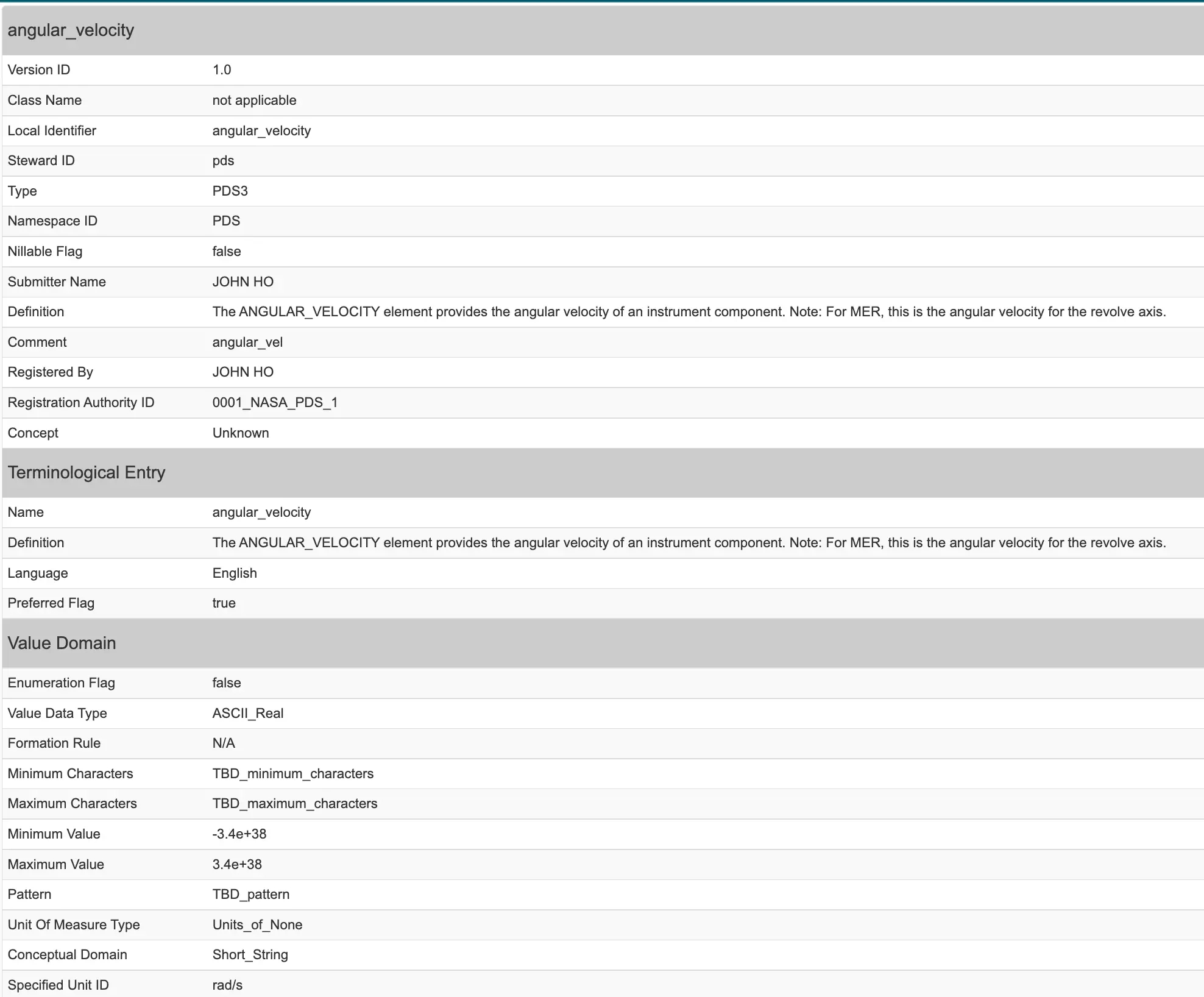
templatesamples.net
Data Dictionary Sample Template | Template Samples
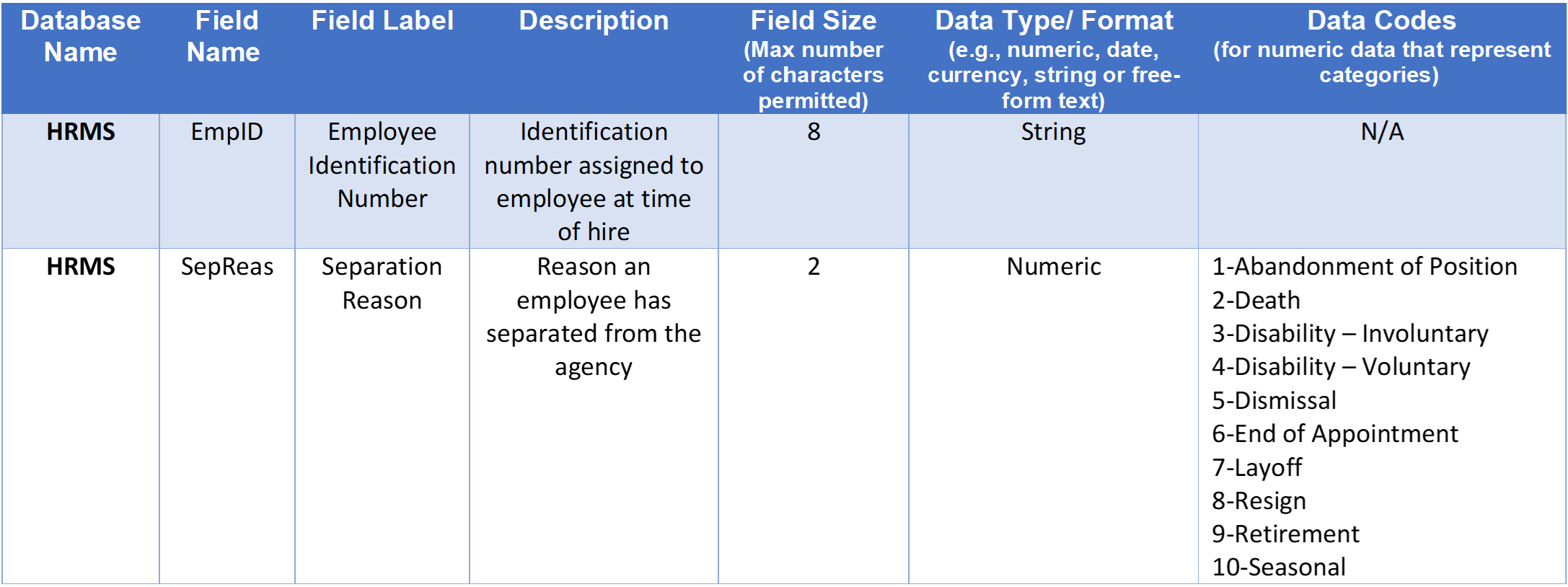
templatesamples.net
Business Data Dictionary Template – PARAHYENA

www.parahyena.com
Design Document Templates (Ms Wordexcel) + Data Dictionary – Templates

www.midi-box.com
Business Data Dictionary Template – PARAHYENA
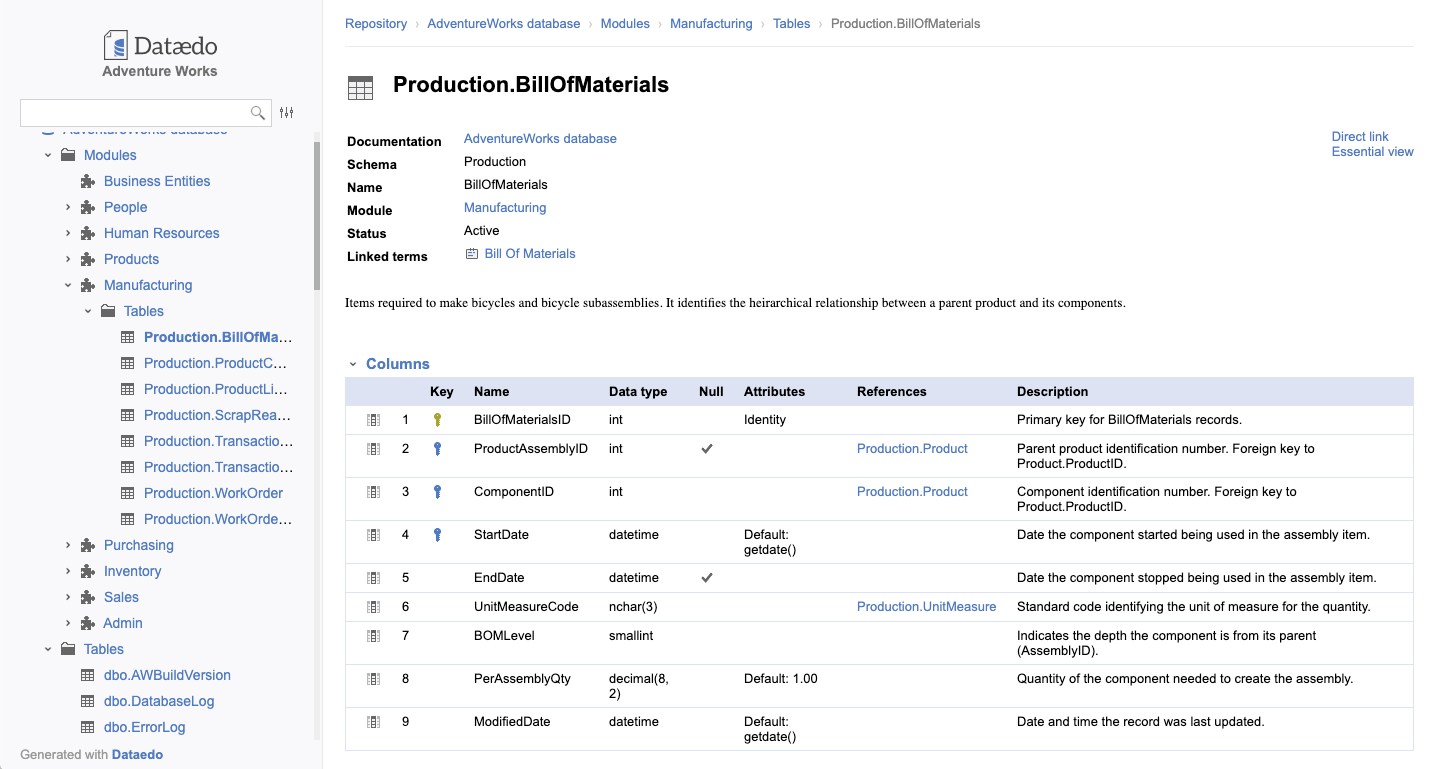
www.parahyena.com
Data Dictionary Template
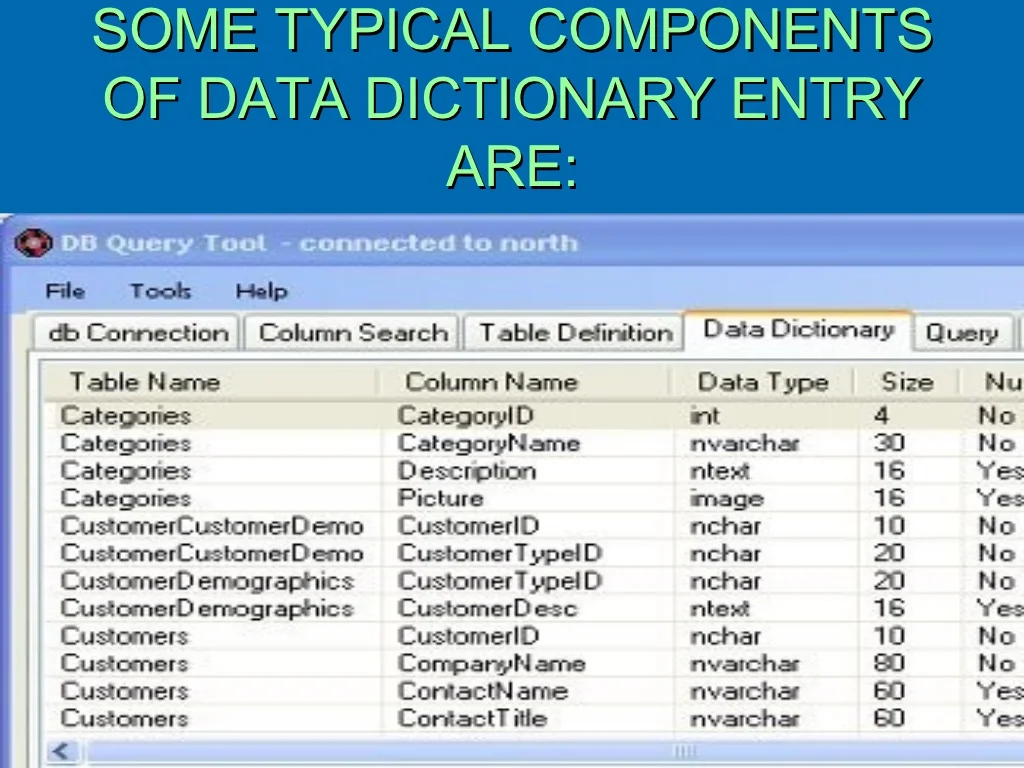
old.sermitsiaq.ag
Design Document Templates Ms Word Excel Data Dictionary Templates Forms

docs.cholonautas.edu.pe
Business Data Dictionary Template – PARAHYENA
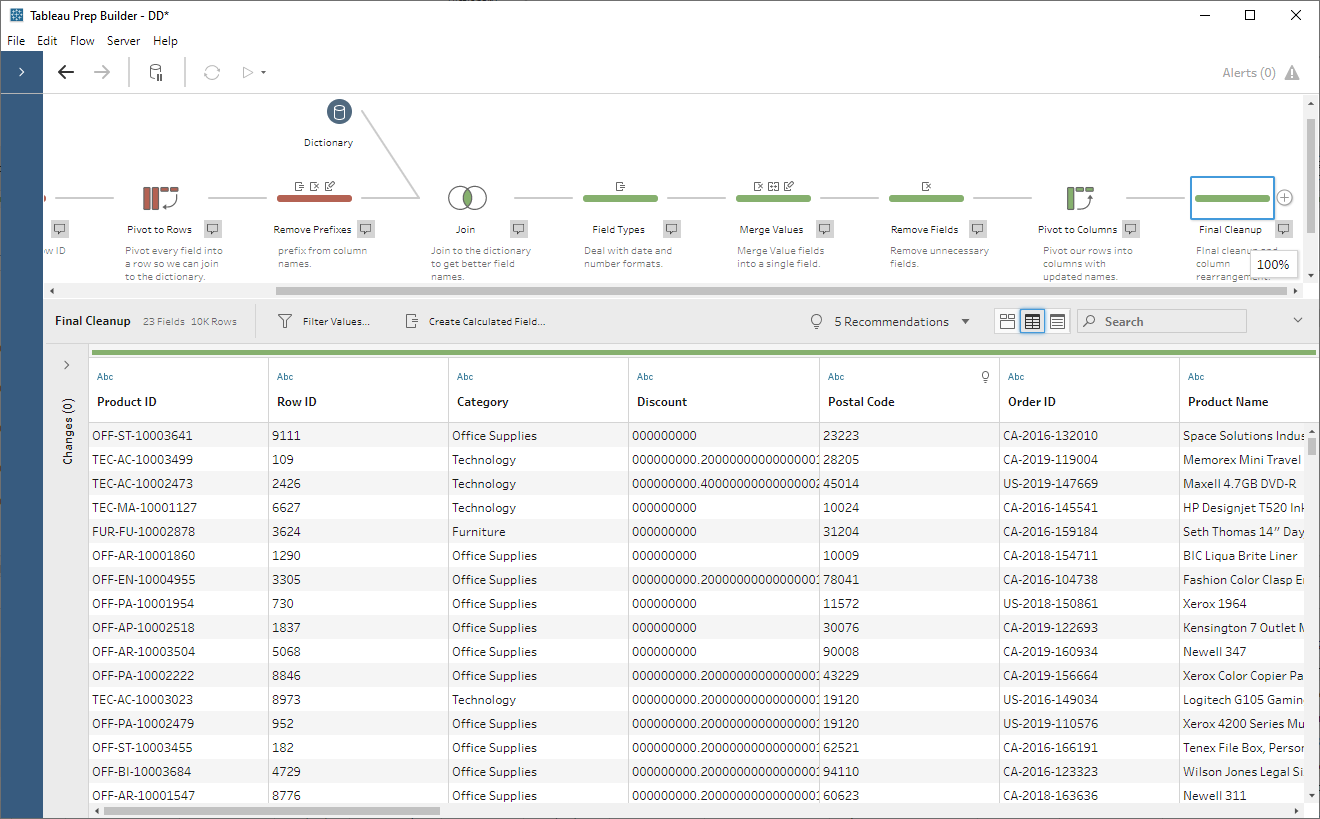
www.parahyena.com
Data Dictionary Template – Data Element Format/ Type Length Description
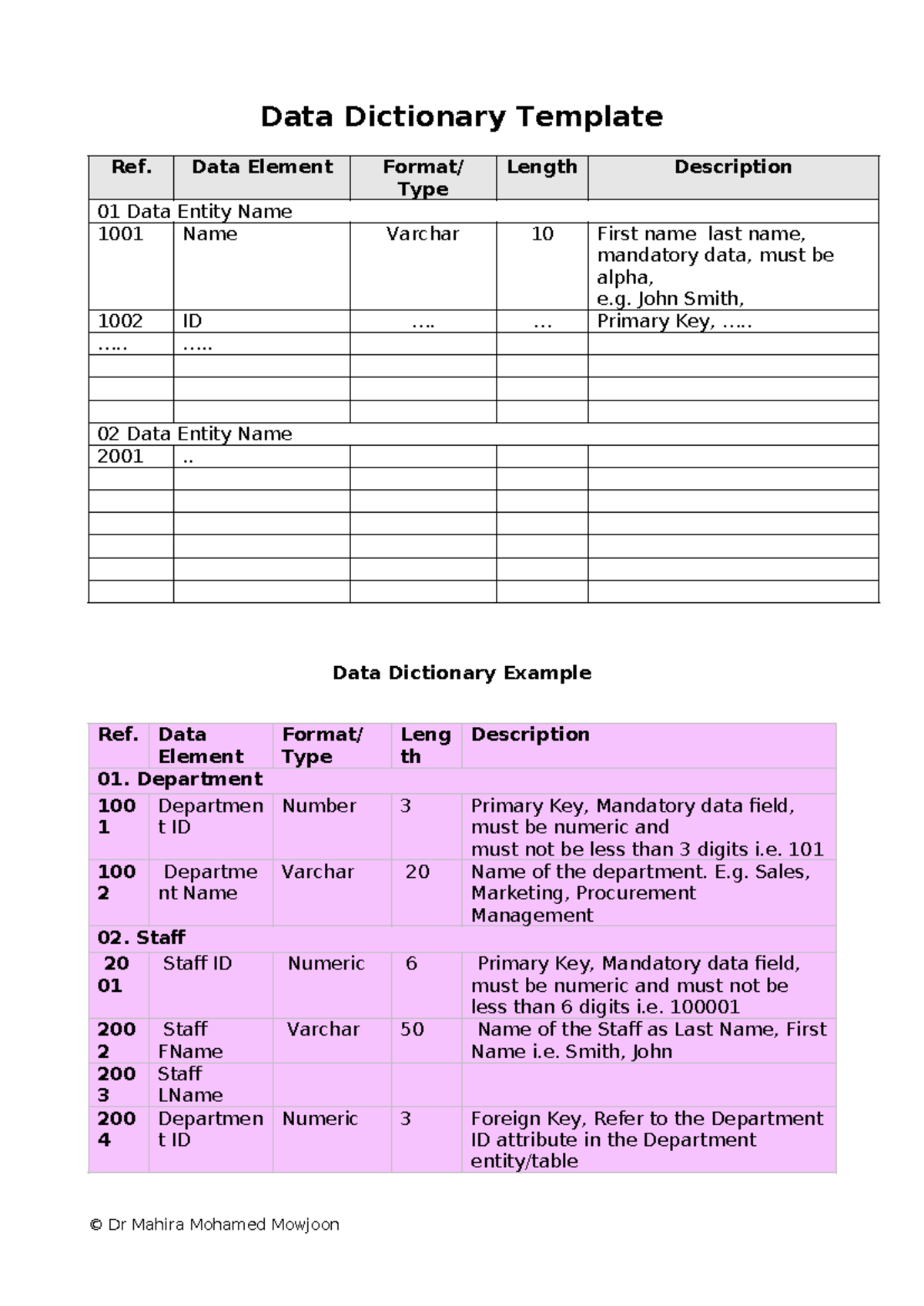
www.studocu.com
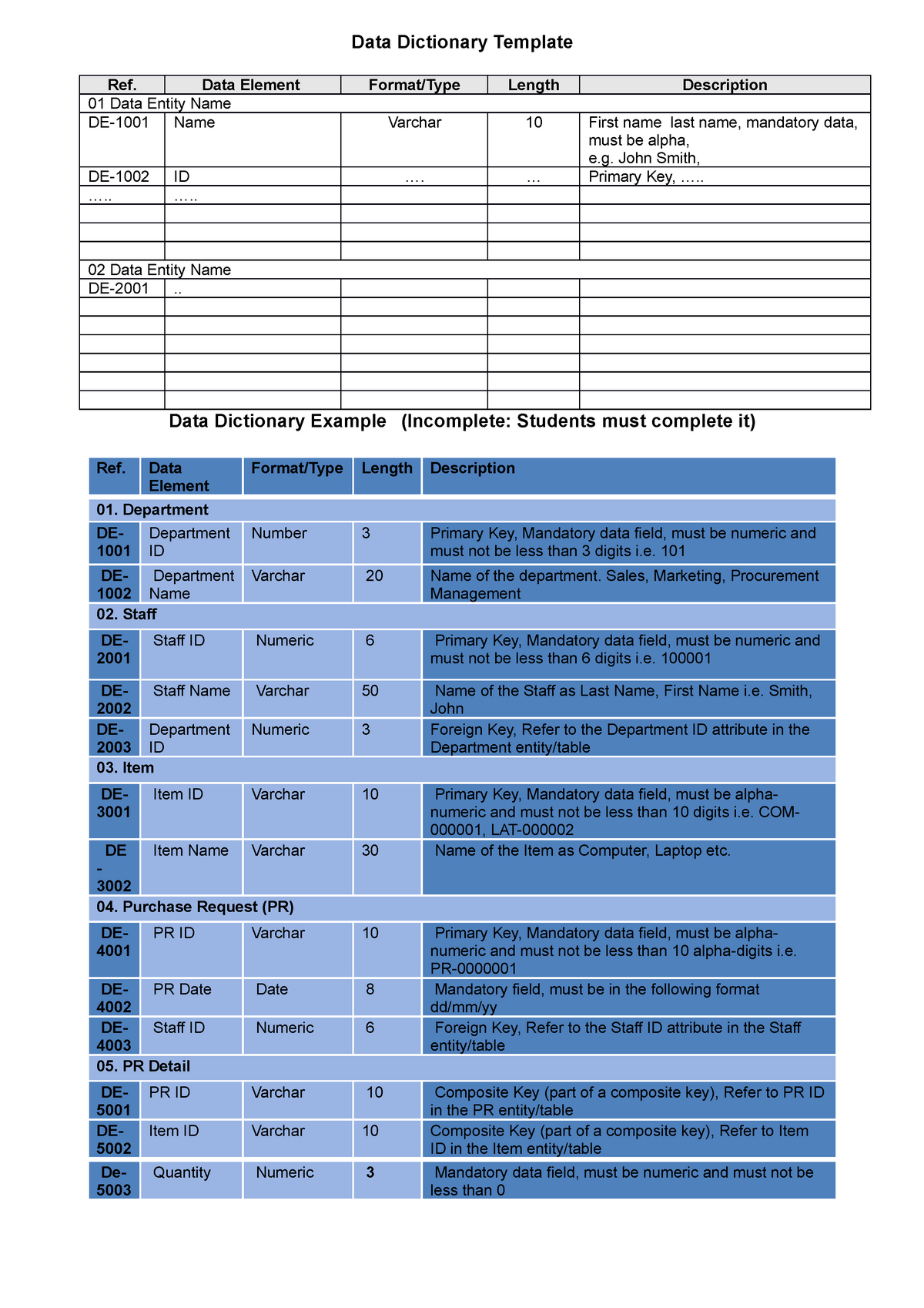
Data Dictionary Template And Example – Data Dictionary Template Ref
www.studocu.com
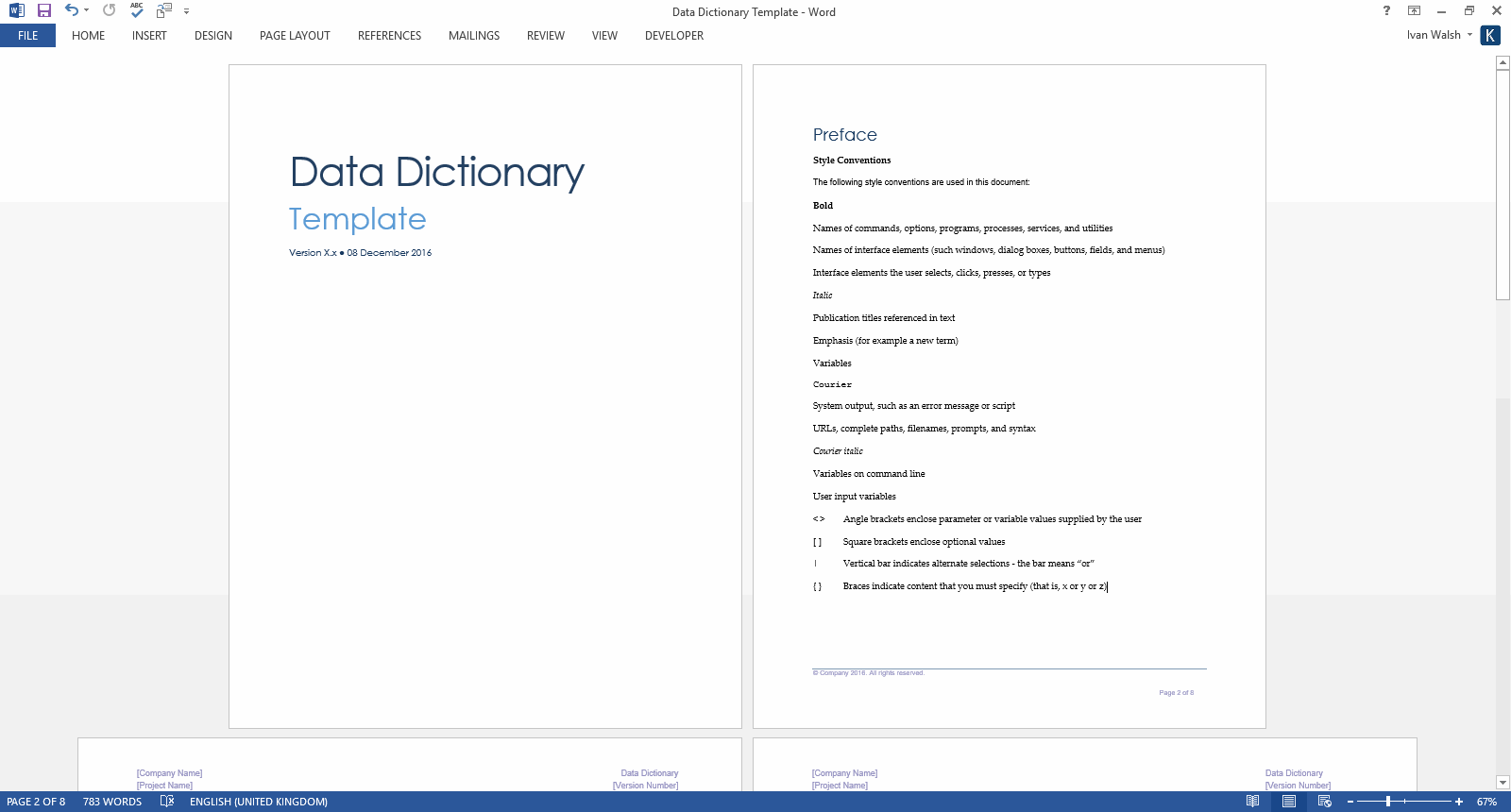
Design Document Templates (MS Word/Excel) + Data Dictionary – Templates
klariti.com
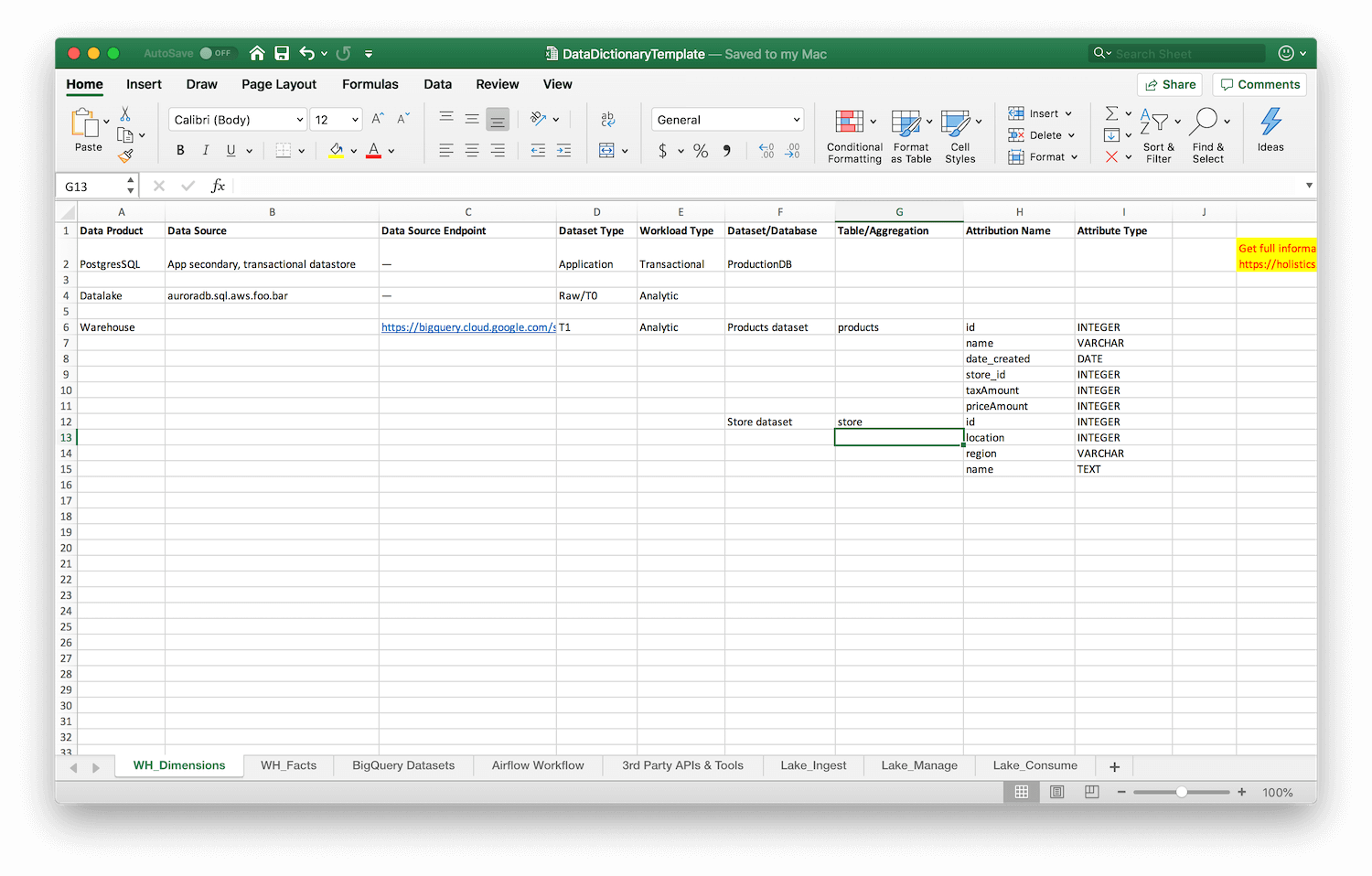
Data Dictionary Excel Template
old.sermitsiaq.ag
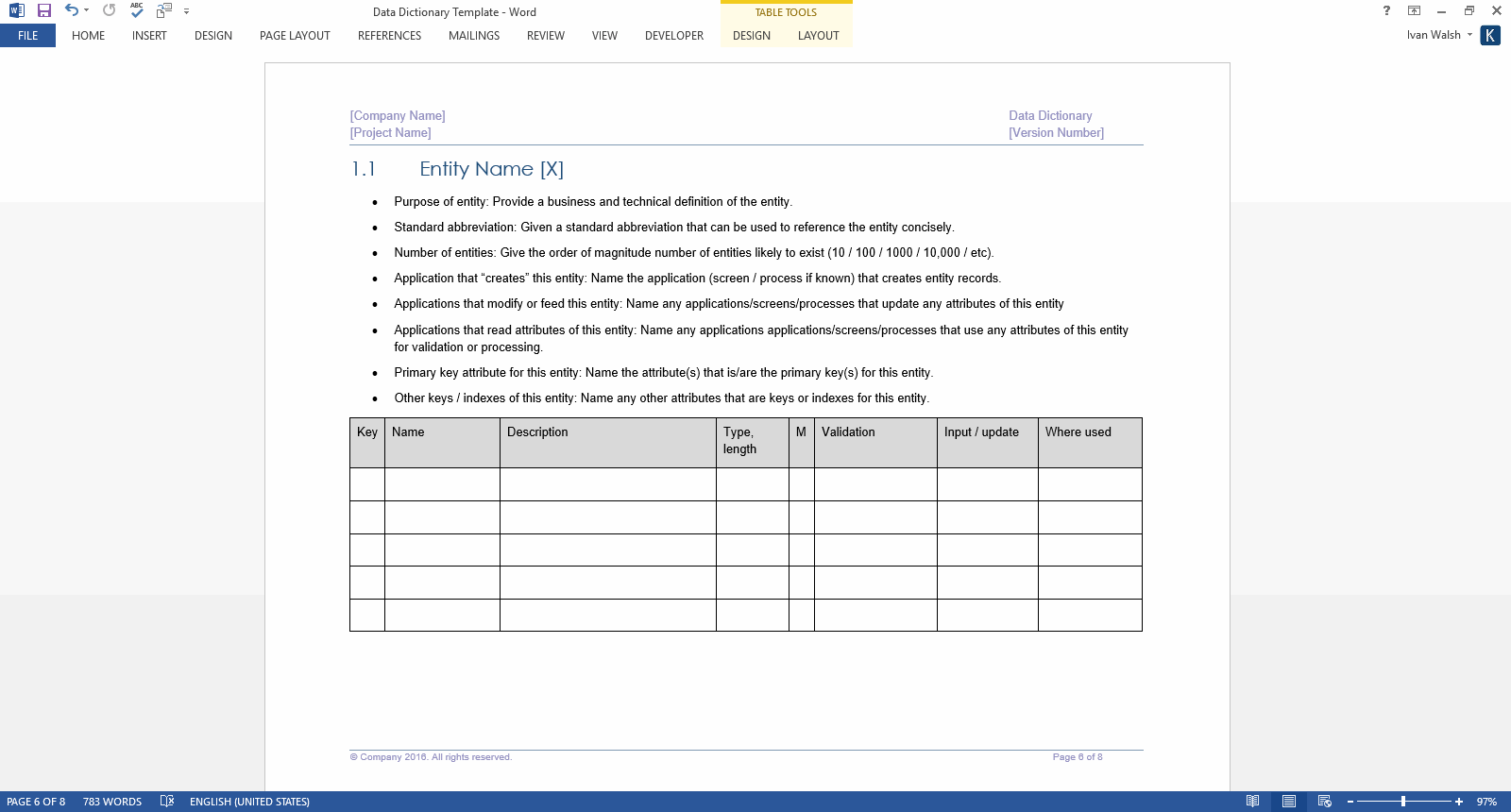
Design Document Template – Software Development Templates, Forms
www.softwaredevelopmenttemplates.com
Data Dictionary Templates – Prntbl.concejomunicipaldechinu.gov.co
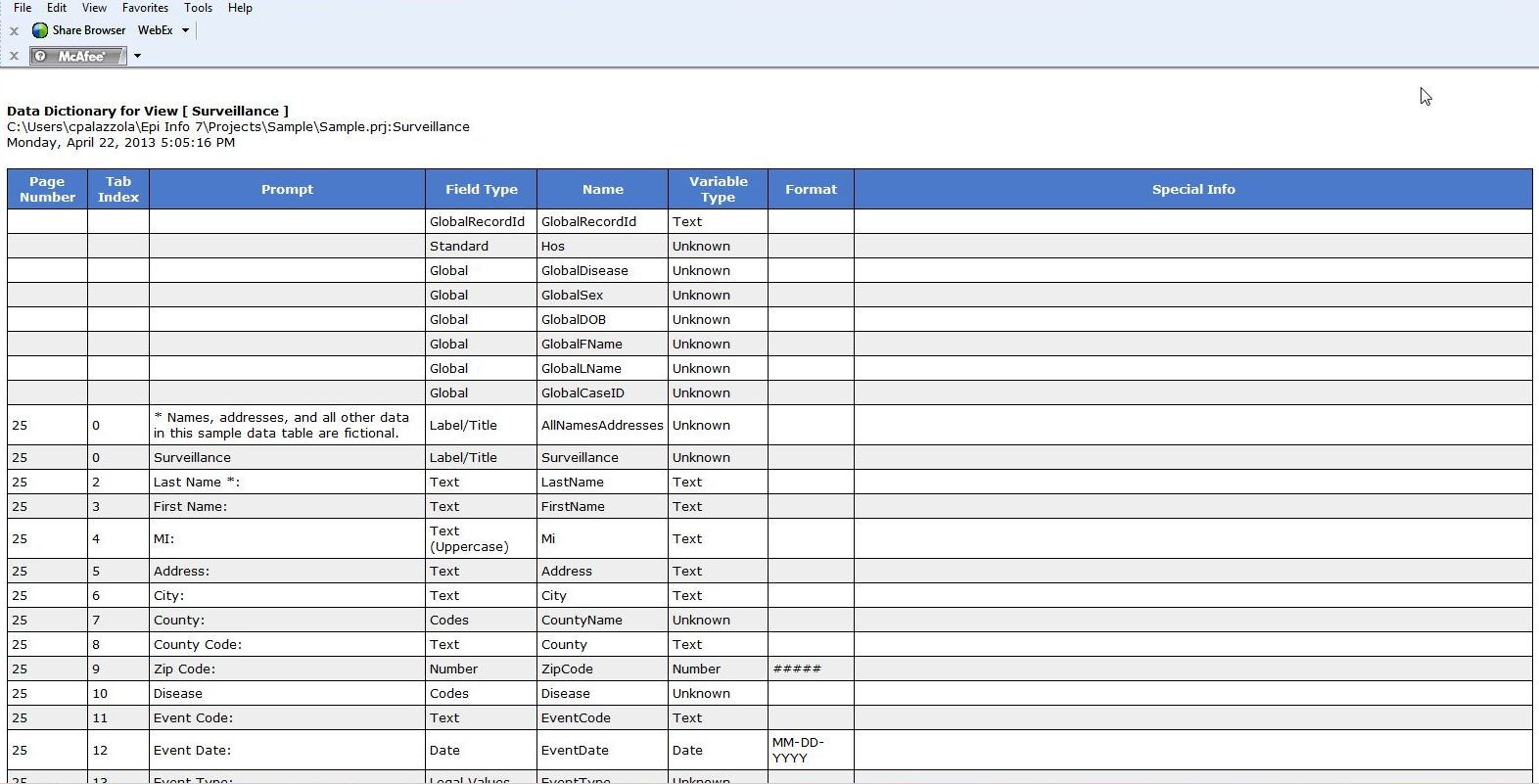
prntbl.concejomunicipaldechinu.gov.co
Fresh Data Dictionary Template Wwwpantrymagic Regarding Business Data
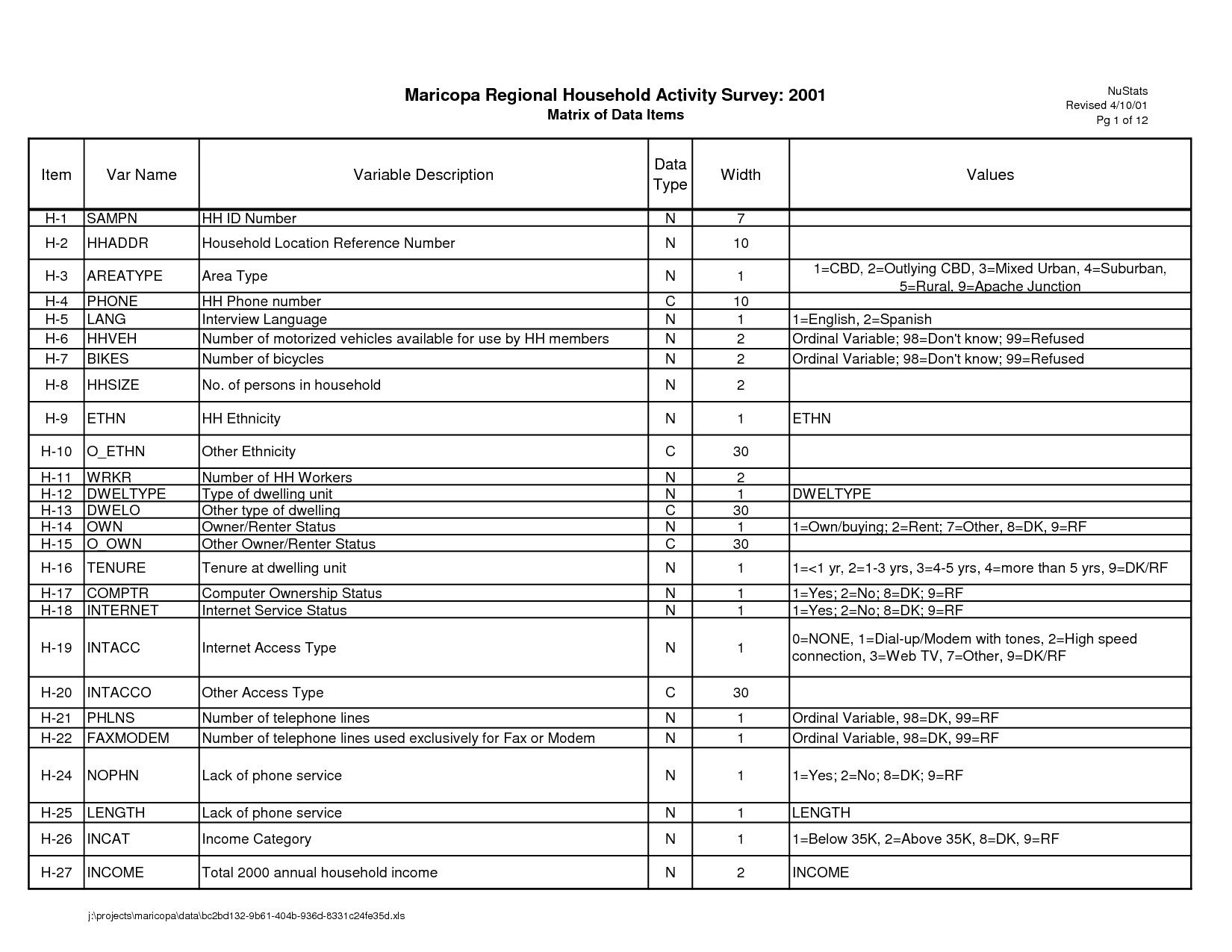
vancecountyfair.com
Business Data Dictionary Template – PARAHYENA
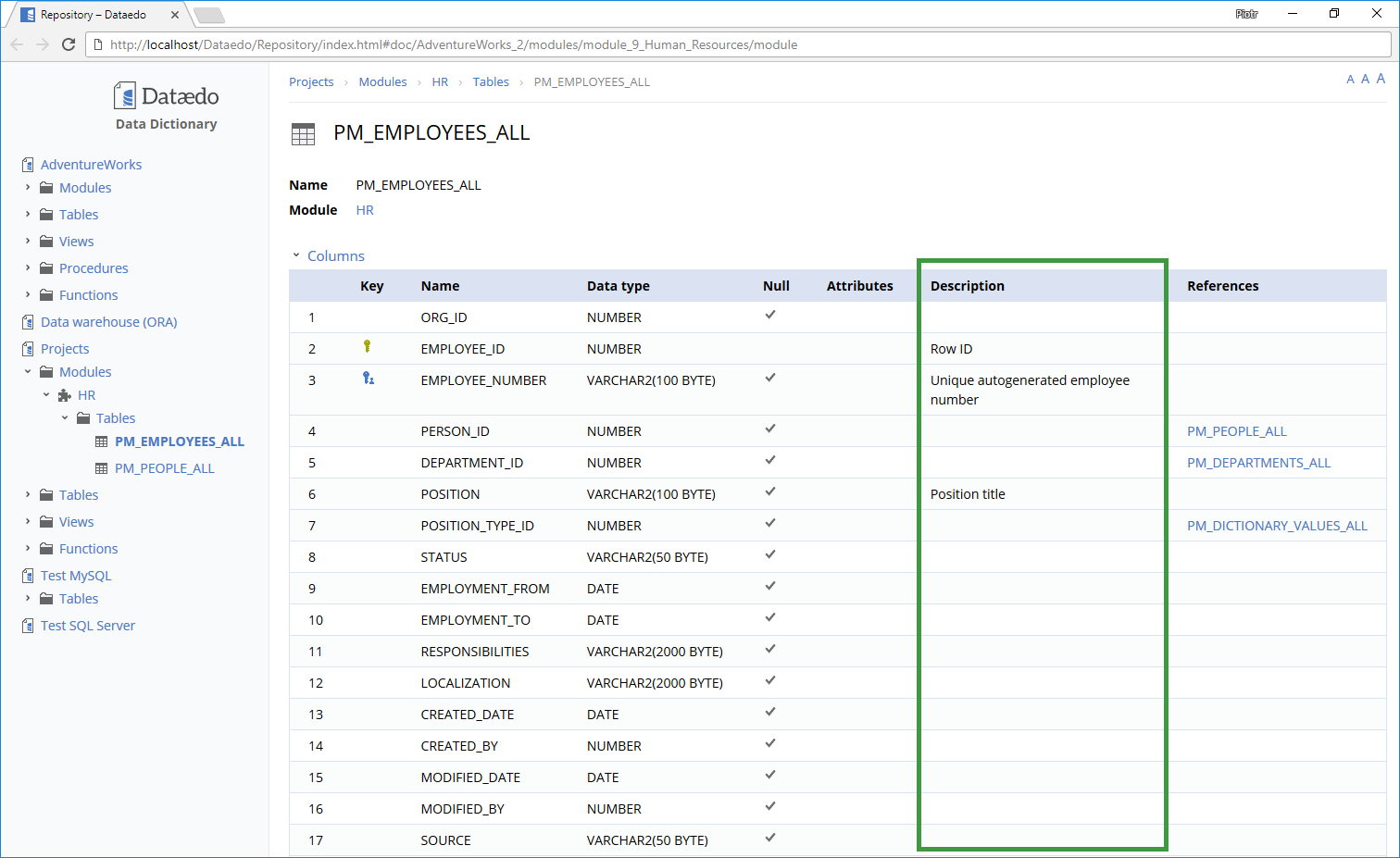
www.parahyena.com
Business Data Dictionary Template – PARAHYENA
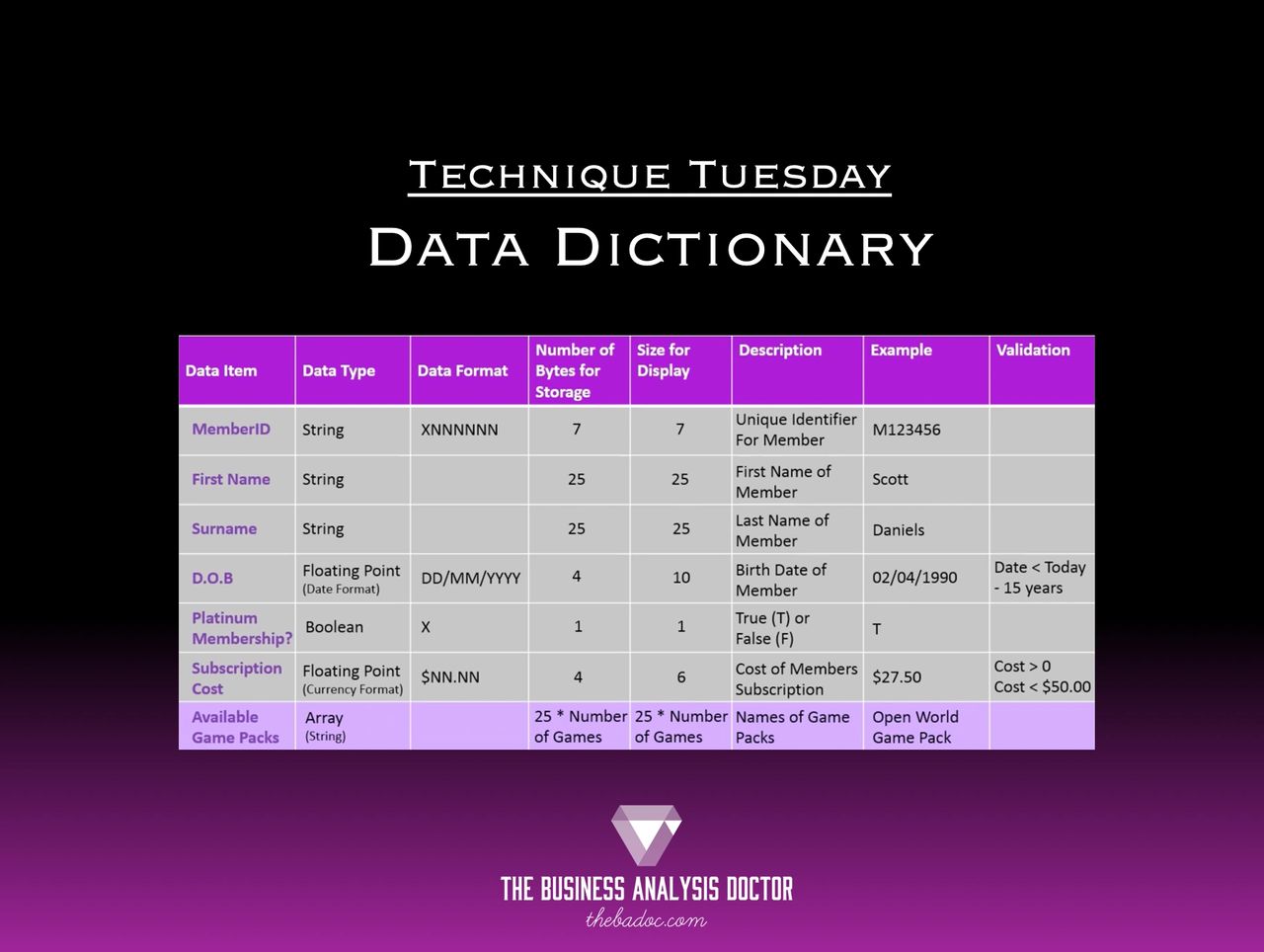
www.parahyena.com
Design Document Templates Ms Wordexcel Data Dictionary In Business Data

vancecountyfair.com
Business Intelligence Solutions – Ppt Download

slideplayer.com
Design document templates (ms wordexcel) + data dictionary – templates …. business data dictionary template – parahyena. Data dictionary templates