Securing your domain controllers is paramount to the overall security of your Active Directory environment. One crucial step in this process is properly configuring and deploying a Domain Controller certificate template. This template allows domain controllers to automatically obtain certificates for authentication and secure communication, enhancing the security posture of your entire domain. Failing to properly configure this template can lead to various issues, including authentication failures, difficulty in setting up secure protocols like LDAPS, and increased vulnerability to man-in-the-middle attacks. This post will delve into the specifics of the Domain Controller certificate template, outlining its purpose, configuration, and best practices.
Understanding the Domain Controller Certificate Template
The Domain Controller certificate template in Active Directory Certificate Services (AD CS) is designed specifically for issuing certificates to domain controllers. These certificates are used for several key purposes, ensuring the integrity and confidentiality of communication within the domain:
- Secure Authentication (LDAPS): Certificates are fundamental for enabling Lightweight Directory Access Protocol over SSL/TLS (LDAPS), which encrypts the communication between clients and domain controllers. This prevents eavesdropping and ensures that sensitive data, such as passwords, is protected during transmission.
- Kerberos Authentication: While Kerberos itself is a robust authentication protocol, having certificates on domain controllers can enhance security by providing an additional layer of authentication and trust.
- Secure RPC (Remote Procedure Call): Certificates can be used to secure RPC communication between domain controllers, preventing unauthorized access to critical system functions.
- Mutual Authentication: Certificates enable mutual authentication, where both the client and the server verify each other’s identities, preventing spoofing and man-in-the-middle attacks.
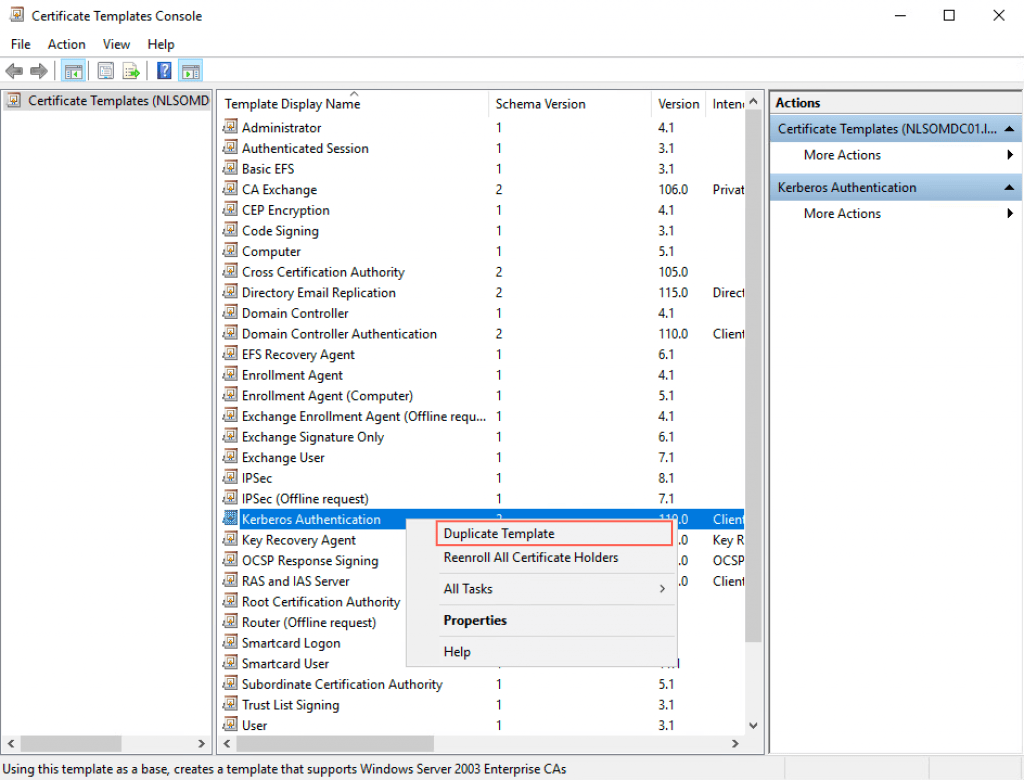
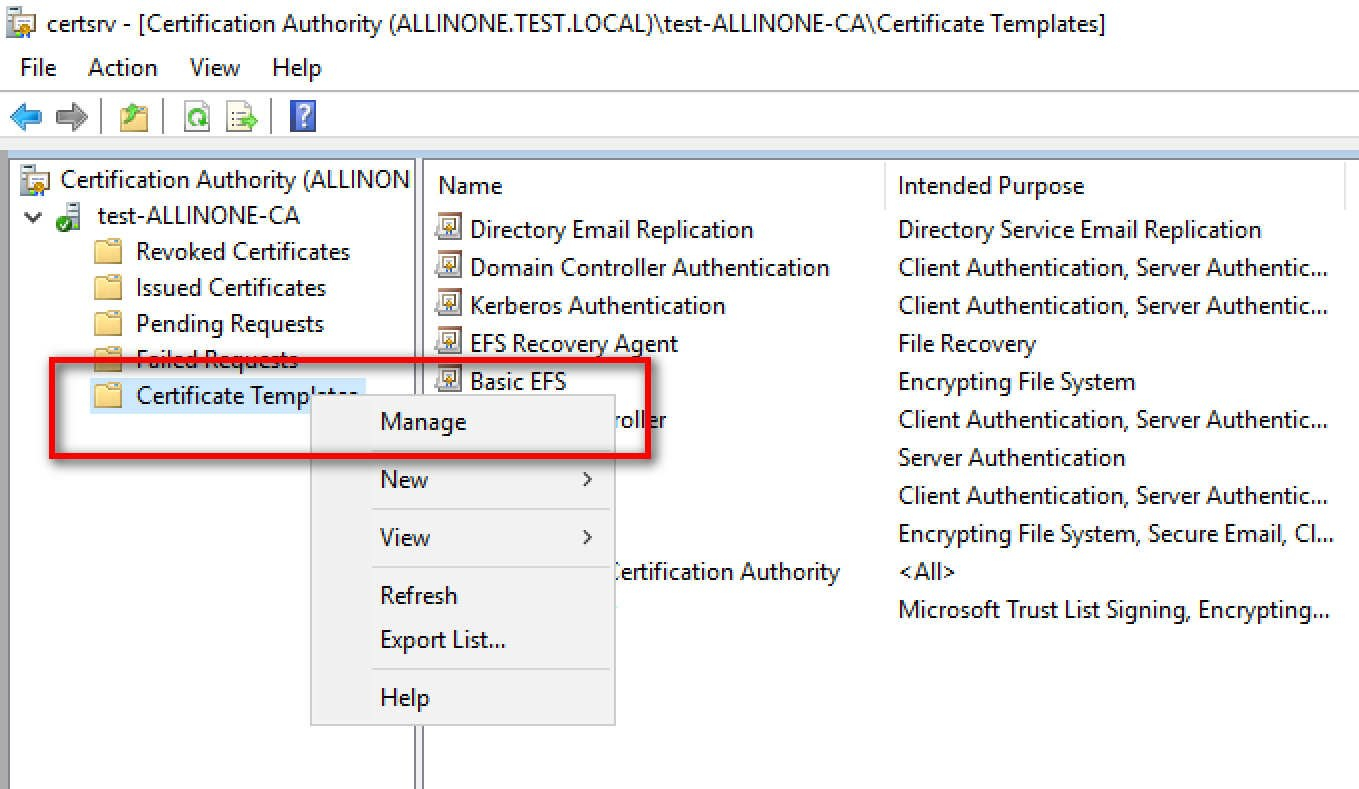
The default “Domain Controller Authentication” template is usually sufficient for most environments. However, understanding its configuration options is crucial for customization and troubleshooting.
Key Configuration Settings
The following configuration settings are most relevant when dealing with the Domain Controller certificate template:
- Template Name: This should be descriptive and easily identifiable. The default is usually adequate but you can modify it for organizational purposes.
- Compatibility Settings: Ensure the compatibility settings (Certification Authority and Certificate recipient) are set appropriately for your environment. Older operating systems might require lower compatibility settings. Be aware of the implications of reducing compatibility as it could limit the use of newer features and security protocols.
- Request Handling: This section controls how the certificate request is handled. By default, the request agent uses the computer account of the domain controller, ensuring that only domain controllers can request certificates based on this template.
- Cryptography: The cryptographic settings determine the key size and algorithm used for the certificate. Choose a strong algorithm like RSA with a key size of at least 2048 bits for enhanced security. Avoid weaker algorithms that are susceptible to attacks.
- Subject Name: The subject name is automatically populated with the domain controller’s fully qualified domain name (FQDN). This is crucial for proper certificate validation. Ensure that “Build from this Active Directory information” is selected. The subject name format should generally be FQDN.
- Issuance Requirements: Typically, no manager approval is required for domain controller certificates. The Active Directory enrollment policy handles the automatic enrollment process.
- Extensions: The “Key Usage” extension should include “Digital Signature” and “Key Encipherment”. The “Enhanced Key Usage” extension should include “Server Authentication” and “Client Authentication”. These extensions specify the intended purposes for the certificate.
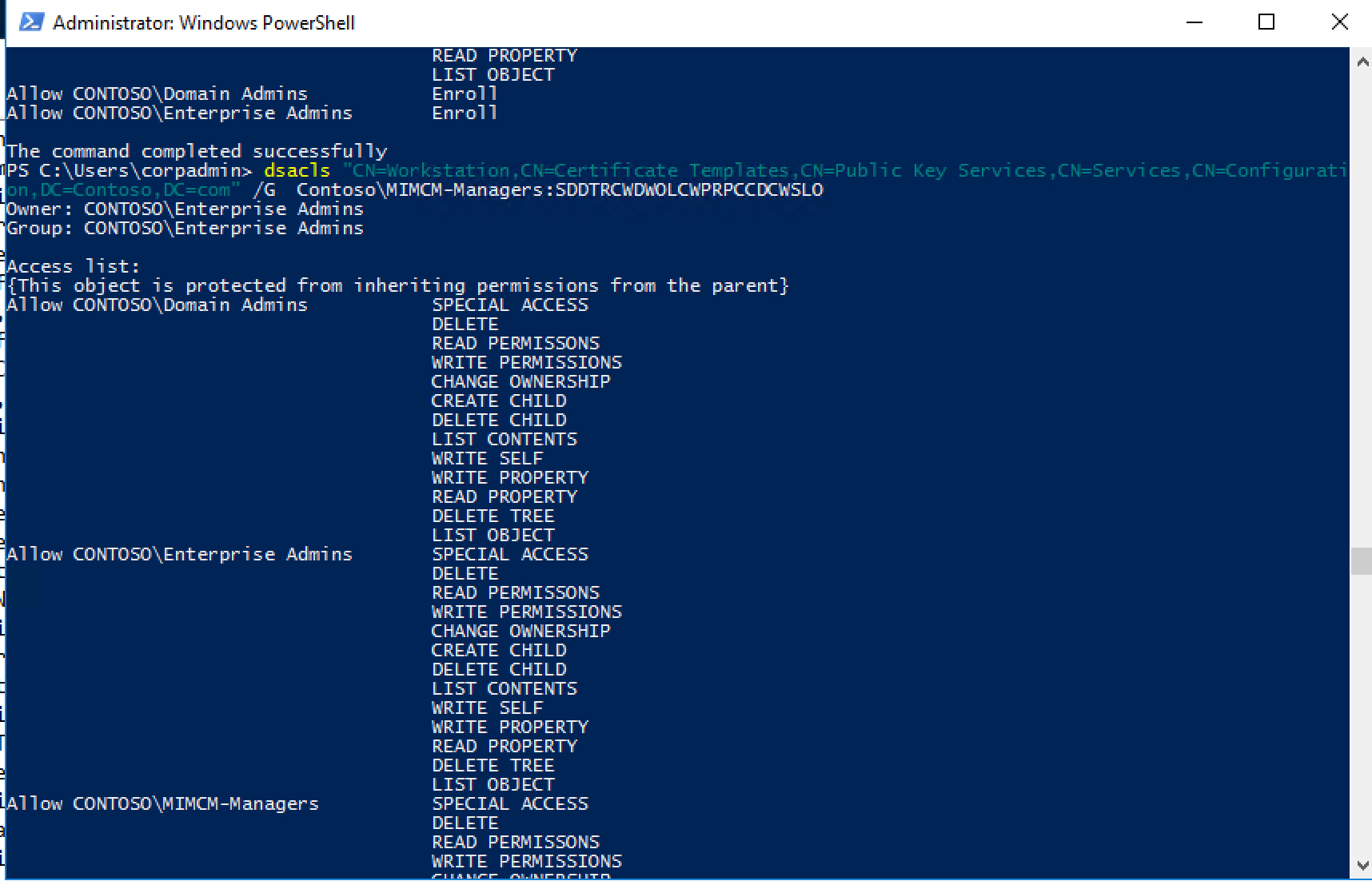
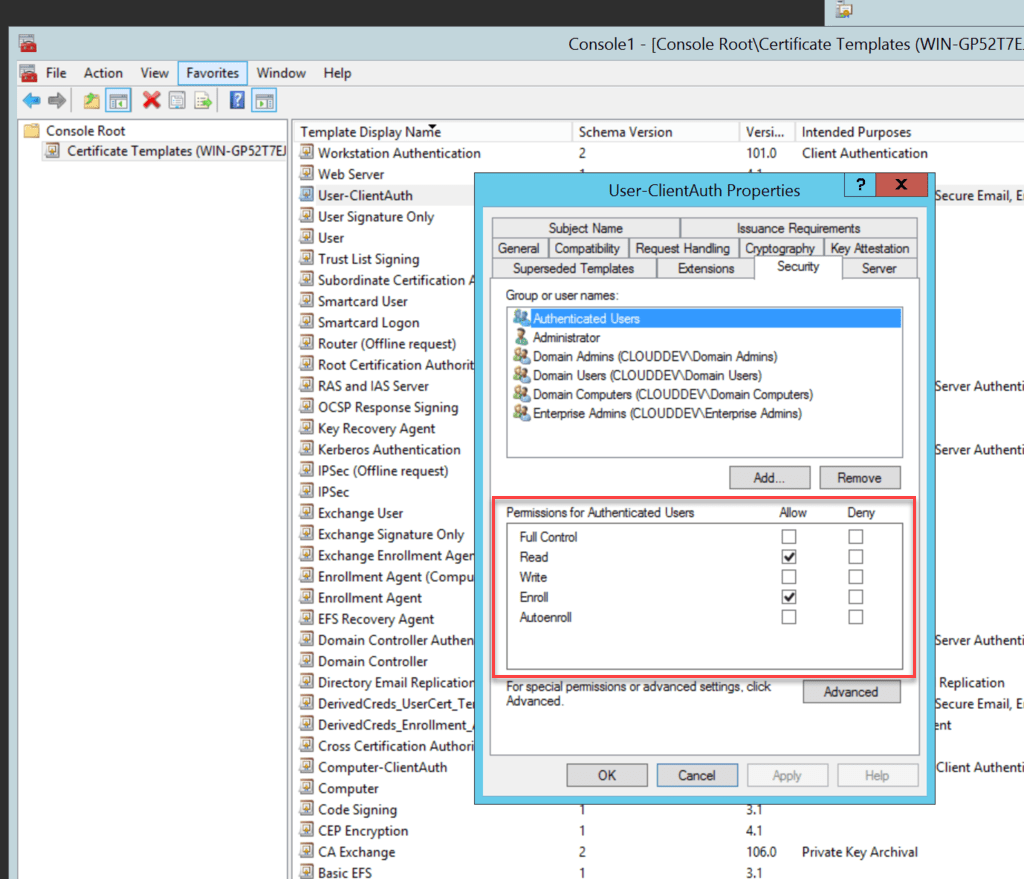
- Security: The “Domain Controllers” security group should have “Enroll” and “Autoenroll” permissions on the template. This allows domain controllers to automatically request and obtain certificates. Ensure that no unauthorized users or groups have these permissions.
It’s important to regularly review and update these settings as your environment evolves and new security threats emerge. Regularly auditing your certificate templates helps ensure that they remain secure and effective.
Best Practices for Managing the Domain Controller Certificate Template
Following these best practices will help ensure the secure and efficient operation of your Domain Controller certificate template:
- Regularly Monitor Certificate Expiration: Implement a monitoring system to track certificate expiration dates and proactively renew certificates before they expire. Expired certificates can lead to authentication failures and service disruptions.
- Use Autoenrollment: Autoenrollment simplifies the certificate lifecycle management process. Ensure that autoenrollment is enabled for the Domain Controllers group to automatically issue and renew certificates.
- Secure the Certificate Authority: The Certificate Authority itself must be secured to prevent unauthorized issuance of certificates. Follow Microsoft’s best practices for securing your CA.
- Regularly Audit Certificate Templates: Periodically review the configuration of your certificate templates to ensure they are aligned with your organization’s security policies and best practices.
- Implement a Certificate Revocation List (CRL): A CRL allows you to revoke certificates that have been compromised or are no longer valid. Ensure that your CRL is accessible to clients and domain controllers.
- Consider Using Online Responder (OCSP): OCSP provides a more efficient way to check the validity of certificates compared to CRLs.
By understanding the Domain Controller certificate template and implementing these best practices, you can significantly enhance the security and reliability of your Active Directory environment. Remember to always test any changes in a non-production environment before deploying them to your production environment.
If you are looking for Domain Controller Certificate Template – Sampletemplate.my.id you’ve came to the right place. We have 22 Images about Domain Controller Certificate Template – Sampletemplate.my.id like Domain Controller Certificate Template – Sampletemplate.my.id, Preparing Certificates And Gpos For System Center Update with Domain and also Domain Controller Certificate Template – Sampletemplate.my.id. Read more:
Domain Controller Certificate Template – Sampletemplate.my.id

www.sampletemplate.my.id
!!TOP!! Domain-controller-certificate-template-kerberos-authentication

mortfodeni.weebly.com
Ad Certificate Services – The Combobox To Select Template Is Throughout
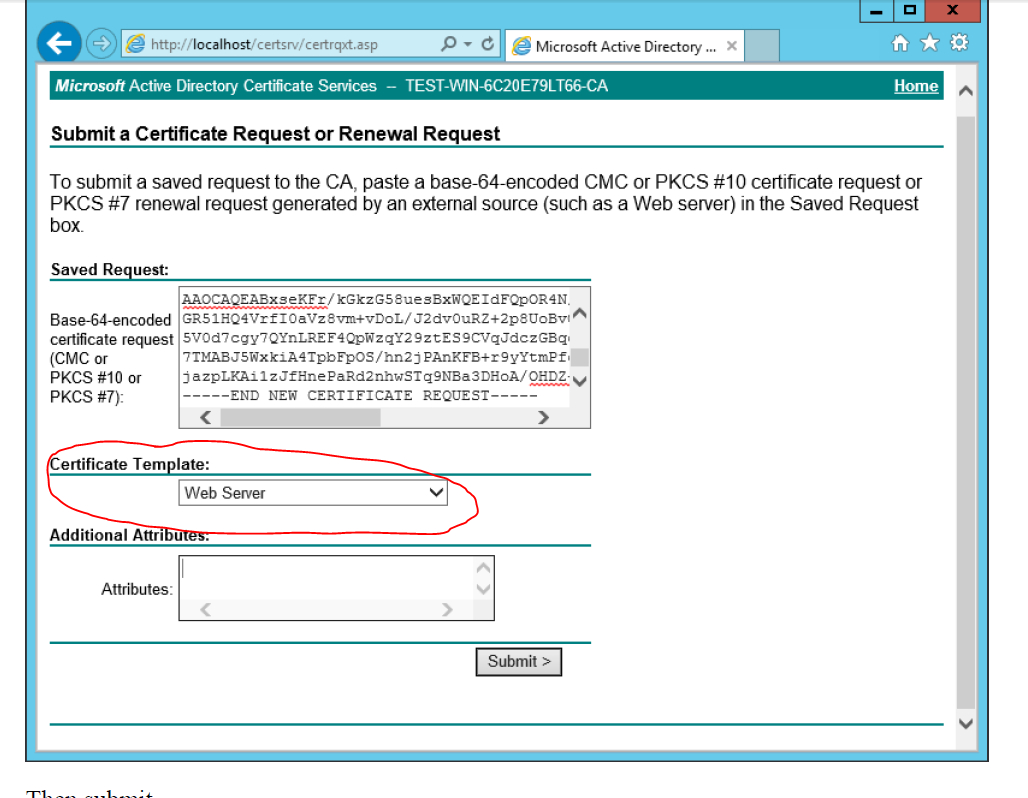
sample.gelorailmu.com
Domain Controller Certificate Template – Rebeccachulew.com
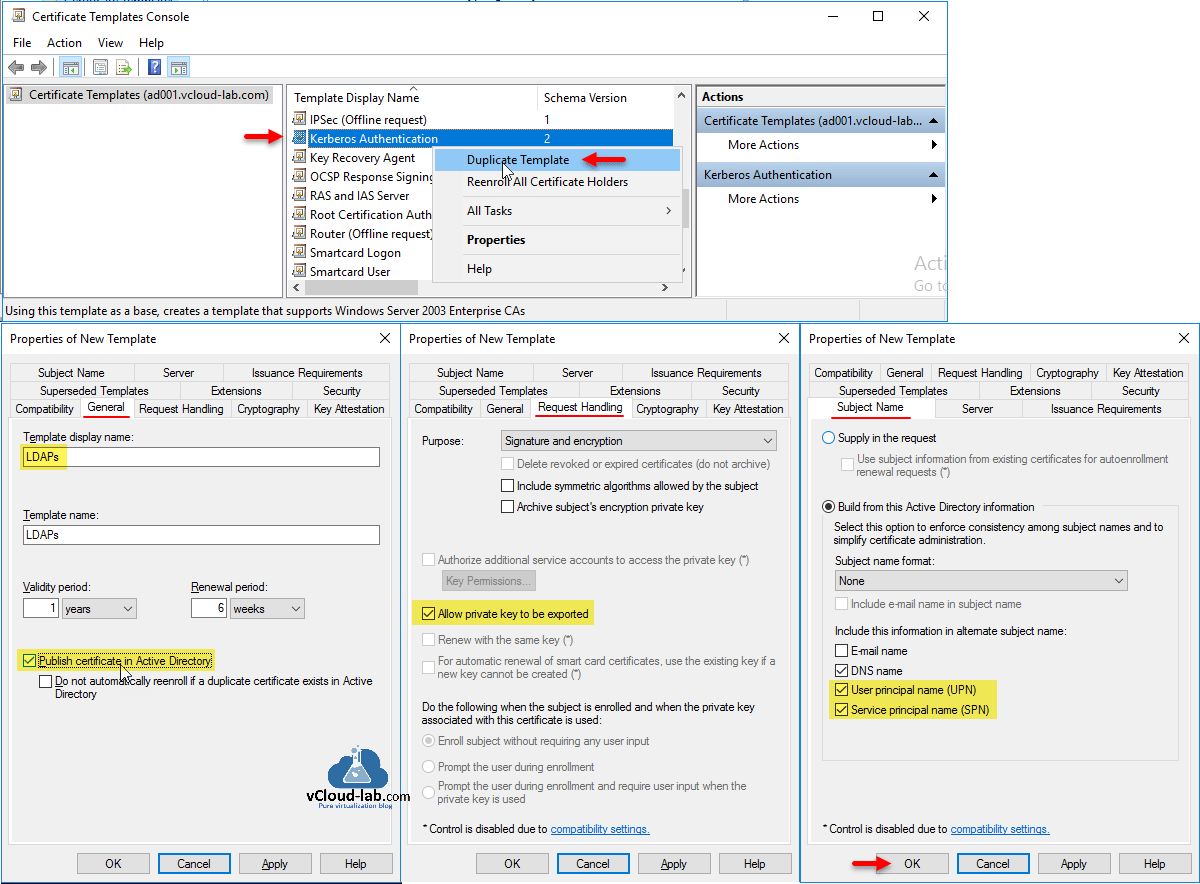
www.rebeccachulew.com
Domain Controller Certificate Template

ar.inspiredpencil.com
Domain Controller Certificate Template – Sampletemplate.my.id
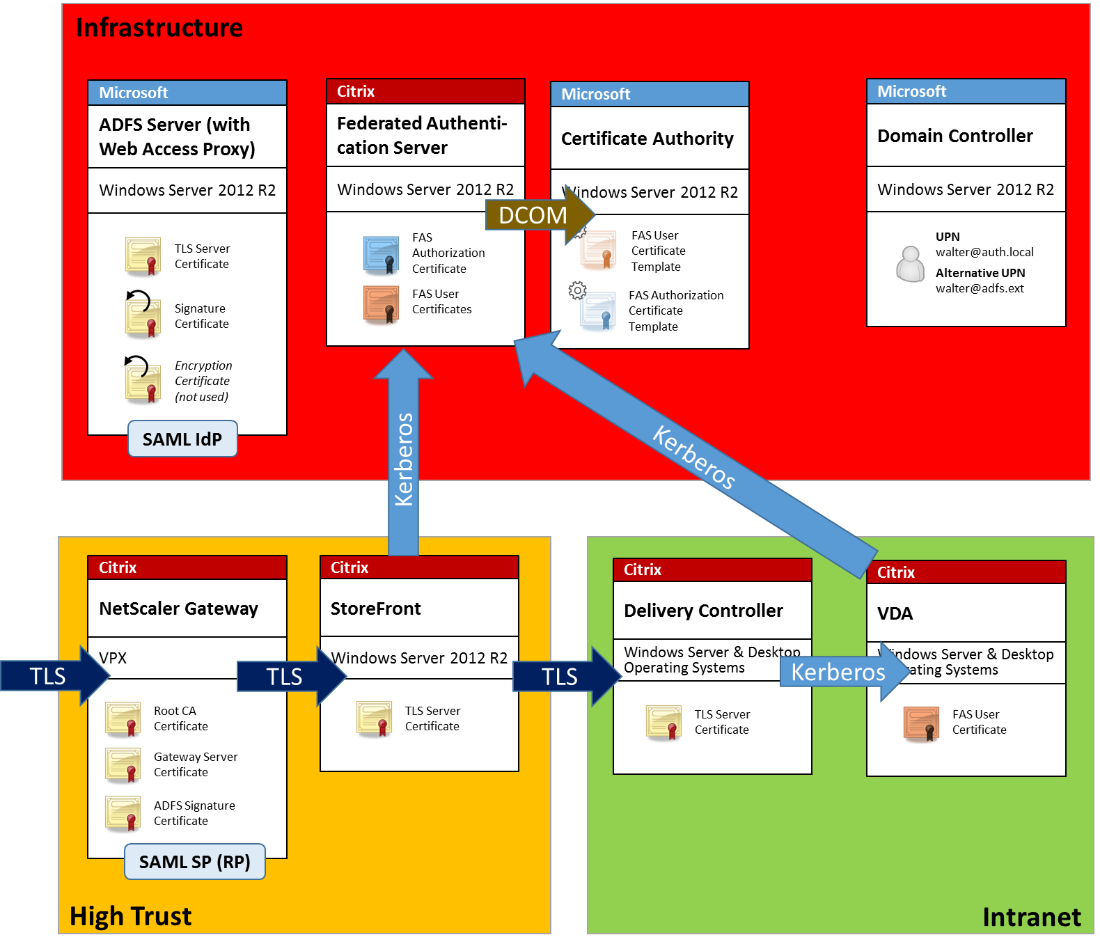
www.sampletemplate.my.id
Ppt – Configure Pki Web Server Certificates For Each In Domain
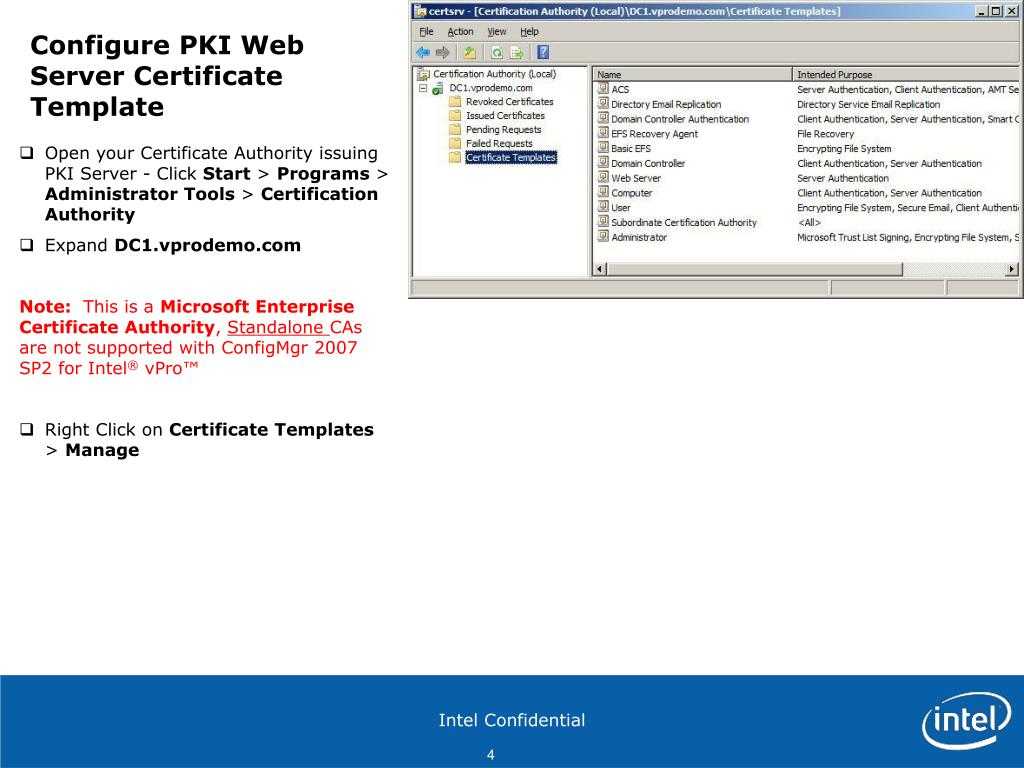
sample.gelorailmu.com
Domain Controller Certificate Template – Rebeccachulew.com
www.rebeccachulew.com
Creating A Vsphere 6 Certificate Template In Active Directory – Blah
footballwchs.com
Domain Controller Server Certificate Donimain Within Fantastic Domain

thevanitydiaries.com
Bereitstellen Der Microsoft Identity Managerzertifikatverwaltung
vancecountyfair.com
Windows Ca Auto Enrollment Einrichten Andreas Mariotti With Domain

vancecountyfair.com
Windows Ca Auto Enrollment Einrichten Andreas Mariotti Pertaining To
vancecountyfair.com
Birth Certificate Anaheim Ca Awful Domain Controller Certificate
vancecountyfair.com
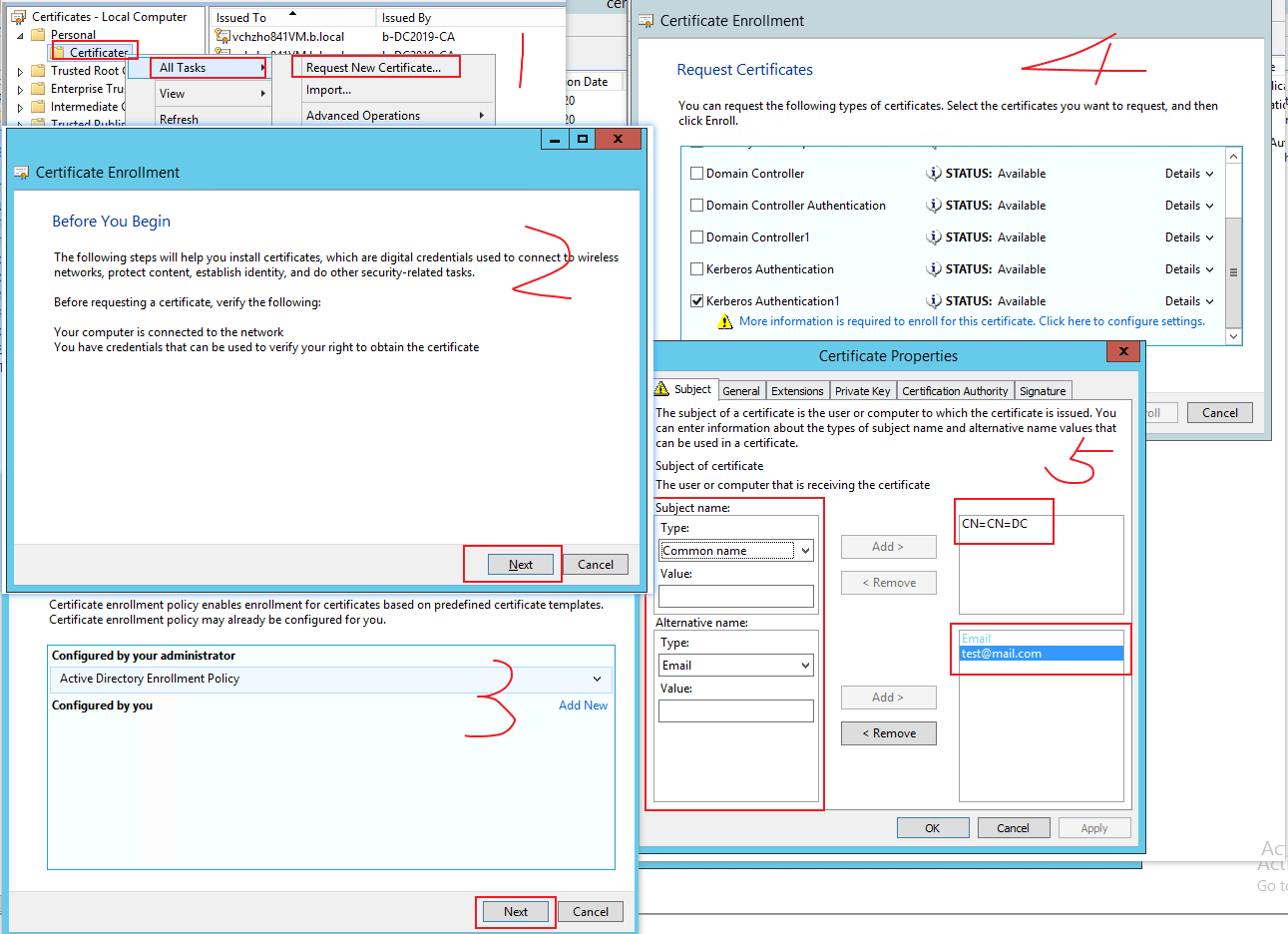
Domain Controller Certificate Template – Rebeccachulew.com
www.rebeccachulew.com
Domain Controller Certificate Template – Sampletemplate.my.id

www.sampletemplate.my.id
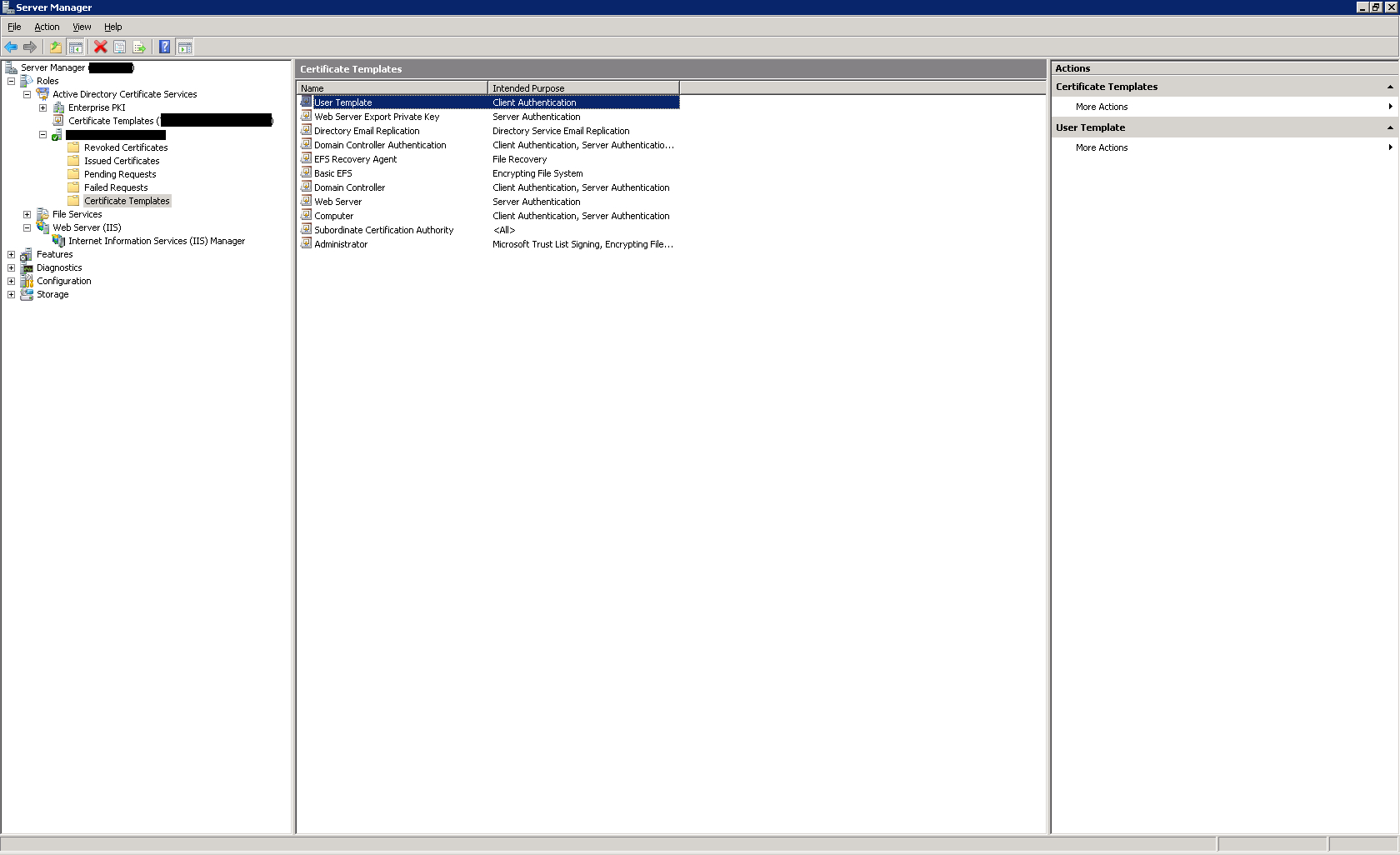
Certificate Within Domain Controller Certificate Template – Sample
sample.gelorailmu.com
Domain Controller Certificate Template – Rebeccachulew.com
www.rebeccachulew.com
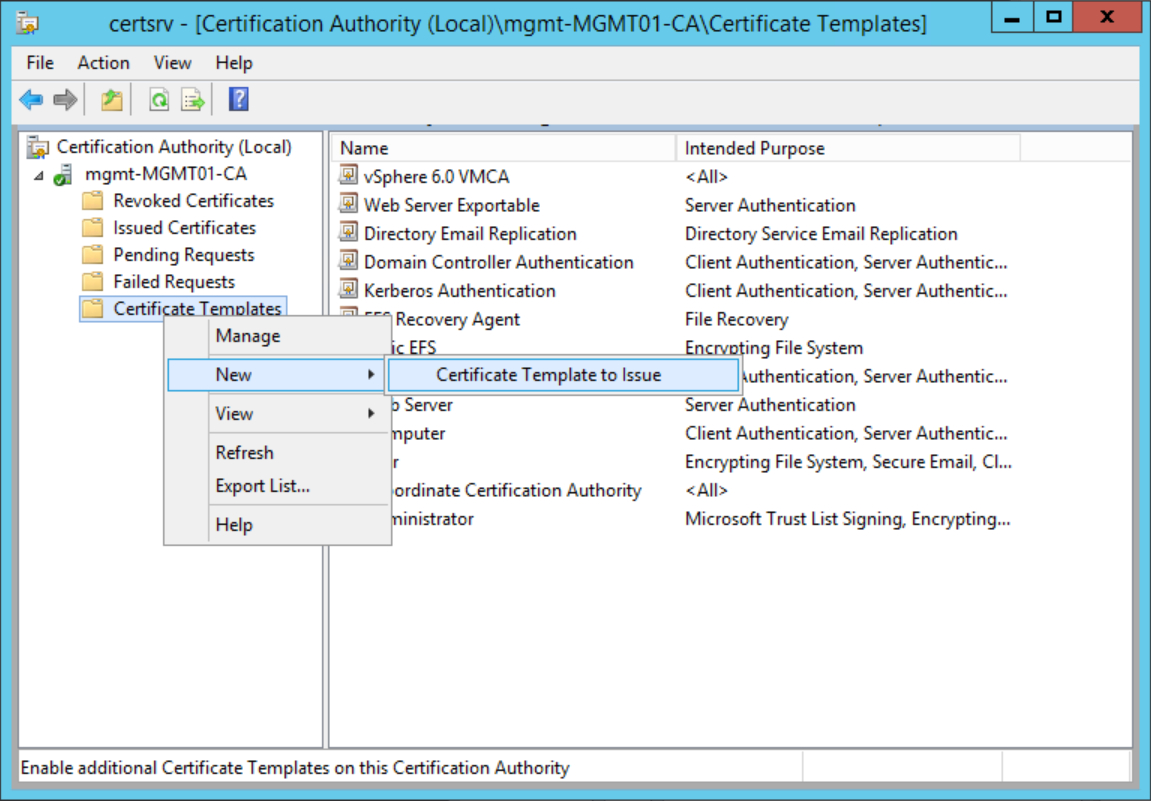
Powershell Script Signing For Domain Controller Certificate Template
sample.gelorailmu.com
Creating Custom Secure Ldap Certificates For Domain Controllers With

vancecountyfair.com
Domain Controller Certificate Template – Sampletemplate.my.id

www.sampletemplate.my.id
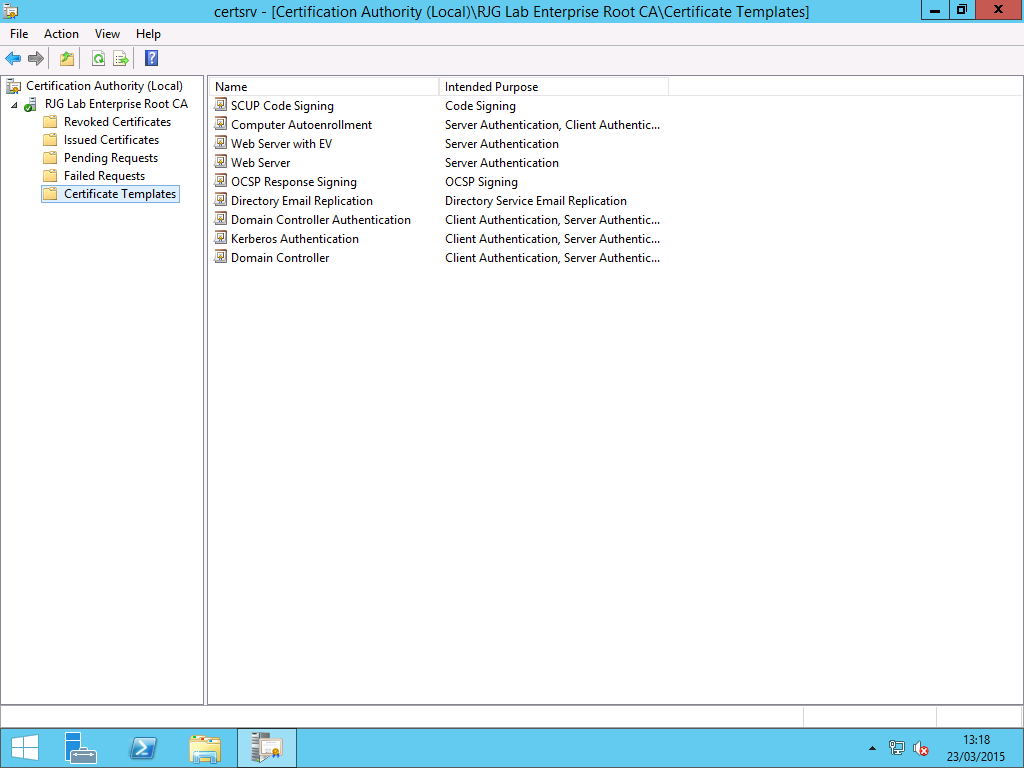
Preparing Certificates And Gpos For System Center Update With Domain
business.maexproit.com
Domain controller certificate template. domain controller certificate template – rebeccachulew.com. domain controller certificate template – rebeccachulew.com
Related posts of "Domain Controller Certificate Template"
